Over-the-shoulder view of a middle-school student wearing over-ear headphones at a Chromebook in a modern classroom — text-to-speech reading his draft essay while a speech-to-text microphone icon stays available in the toolbar.

Assistive Technology for Reading and Writing: A Guide

Assistive technology for reading and writing removes barriers so students can access text and express ideas. Learn the common tools and how to choose them.


Find out more about
Assistive Technology
Will Jackson, CEO
June 10, 2026
, last updated on
June 10, 2026
,
6
min read

Assistive technology for reading and writing is any tool that helps a student access text or express their ideas in writing. From text-to-speech to speech-to-text, these supports remove barriers so students can engage with grade-level work. This guide explains what reading and writing assistive technology is, why supporting both matters, the most common tools, and how to choose them.

What Is Assistive Technology for Reading and Writing?

Assistive technology for reading and writing is any device or software that increases a student access to text or their ability to produce it. The Individuals with Disabilities Education Act defines assistive technology broadly, and reading and writing supports are among the most common kinds used in schools.

These tools are part of the wider support landscape covered on our assistive technology for students overview.

Reading and Writing Develop Together

Reading and writing are deeply connected, so supporting one often supports the other. A student who can access text through text-to-speech encounters more vocabulary and sentence structures, which feeds their writing. A student who can capture ideas through speech-to-text stays focused on meaning rather than mechanics.

Because the two reinforce each other, the strongest support plans address reading and writing side by side rather than in isolation.

Common Reading and Writing AT Tools

A handful of tools cover most reading and writing needs:

  • Text-to-speech: reads digital text aloud to support reading access.
  • Audiobooks: provide an alternative to printed text for longer reading.
  • Speech-to-text: turns spoken words into writing, lowering the encoding barrier.
  • Word prediction: suggests words to reduce spelling and typing load.

A digital dictionary rounds these out by giving quick access to word meaning while reading or writing.

Accommodation, Not a Shortcut

A common worry is that these tools are a shortcut. They are not. Assistive technology removes a barrier so a student can show what they know, without lowering what is expected of them. The National Center on Accessible Educational Materials frames accessible materials as a matter of equal access, not reduced rigor.

How Mote Supports Reading and Writing

Mote brings reading and writing supports together in one Chrome extension that works across Google Workspace. Read Aloud provides text-to-speech for reading access, speech-to-text lowers the writing barrier, and the built-in dictionary supports word meaning in both. Because it runs on the Chromebooks and Google tools many schools already use, students get consistent support across every class and device.

The Bottom Line

Assistive technology for reading and writing removes barriers so students can access text and express ideas. Support both together, choose the lightest tools that build independence, and treat them as accommodations rather than shortcuts. For Google Workspace schools, Mote delivers core reading and writing supports in one place.

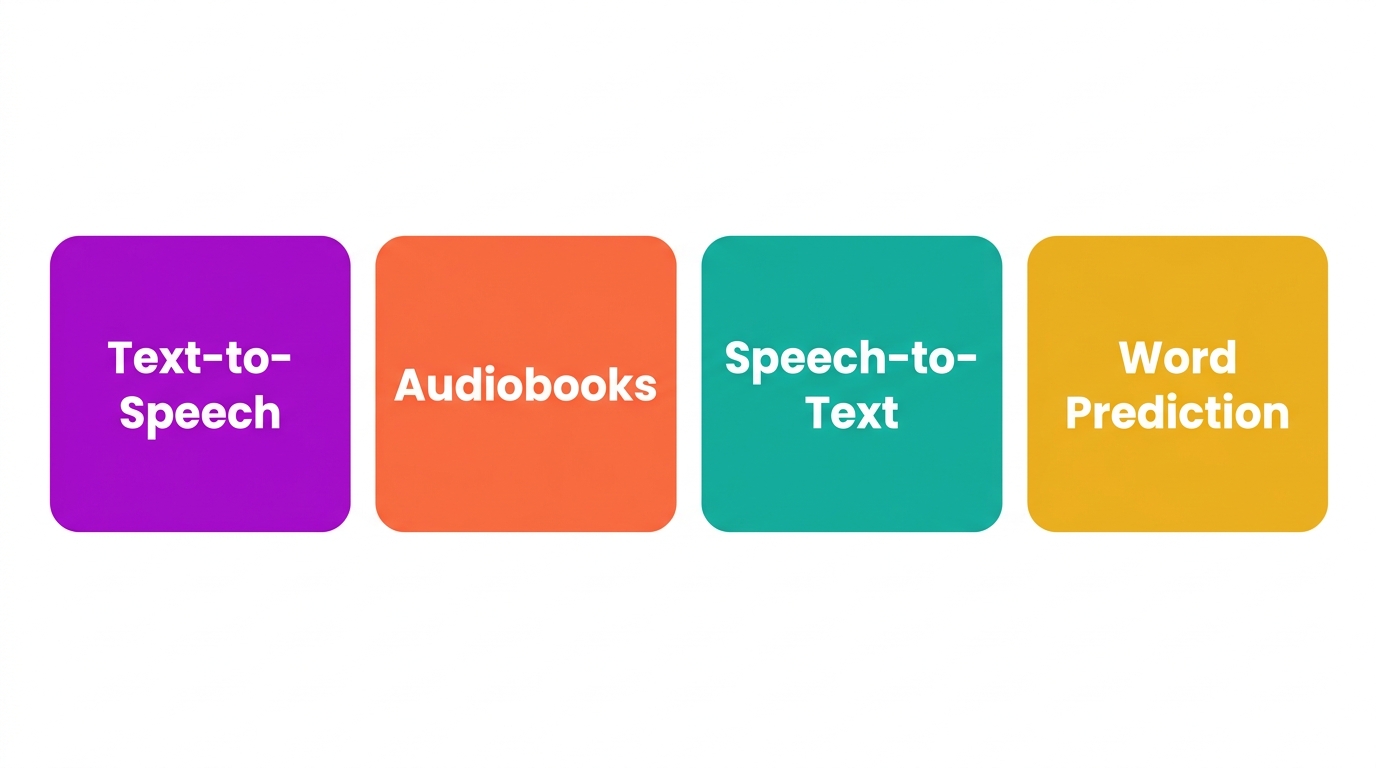
Diagram showing reading and writing connected by a two-way arrow.
Reading and writing develop together, so assistive technology should support both.

How to Choose Assistive Technology for Reading and Writing

Requires:
Mote Chrome Extension, a list of the student reading and writing barriers

1. Identify the Barrier

Decide whether the student struggles most with accessing text, producing writing, or both.

2. Start with Reading or Writing Access

Add text-to-speech for reading barriers and speech-to-text for writing barriers, then layer in dictionary and word prediction.

3. Trial in Real Tasks

Have the student use the tools in actual assignments to confirm they help before committing.

4. Keep Tools Consistent Across Classes

Choose tools that work everywhere the student learns so support does not stop at the classroom door.

5. Pair with Instruction

Use the tools alongside explicit reading and writing instruction, not in place of it.

Diagram of reading and writing AT tools: text-to-speech, audiobooks, speech-to-text, word prediction.
Common reading and writing assistive technology tools.

Frequently Asked Questions

Common questions about
Assistive Technology

Qu'est-ce que la technologie d'assistance pour la lecture et l'écriture ?

La technologie d'assistance pour la lecture et l'écriture est tout outil qui aide un élève à accéder au texte ou à exprimer ses idées par écrit. Les exemples courants incluent la synthèse vocale et les livres audio pour la lecture, ainsi que la reconnaissance vocale et la prédiction de mots pour l'écriture.

Quels sont des exemples de technologies d'assistance pour la lecture et l'écriture ?

Les supports de lecture incluent la lecture à voix haute, les audiolivres et les dictionnaires numériques. Les supports d'écriture incluent la dictée vocale, la prédiction de mots et la vérification orthographique. De nombreux étudiants bénéficient d'une combinaison, puisque la lecture et l'écriture se développent ensemble.

La synthèse vocale aide-t-elle les élèves à lire ?

Oui. La synthèse vocale permet aux élèves d'accéder à du contenu approprié à leur niveau pendant que leurs compétences en décodage se développent, et l'écoute du texte lu à haute voix soutient la compréhension et le vocabulaire. Elle fonctionne mieux en accompagnement, et non en remplacement, de l'enseignement explicite de la lecture.

Est-ce de la triche d'utiliser une technologie d'assistance pour la lecture et l'écriture ?

Non. La technologie d'assistance supprime une barrière pour qu'un étudiant puisse montrer ce qu'il sait ; elle n'abaisse pas les attentes. Tout comme les lunettes aident quelqu'un à voir, des outils comme la synthèse vocale et la dictée vocale aident les étudiants à accéder à l'apprentissage et à exprimer des idées.

Existe-t-il des outils gratuits d'assistance à la lecture et à l'écriture ?

Oui. De nombreux appareils incluent la synthèse vocale et la dictée vocale intégrées, et plusieurs extensions Chrome proposent des offres gratuites. Les outils gratuits sont un bon point de départ, bien que les plans destinés aux écoles et aux districts ajoutent souvent la gestion, les voix et des fonctionnalités conçues pour la classe.

Essayez Mote gratuitement

Aucune carte requise

© Mote Technologies, Inc. 2026. Conçu avec 💜 par notre équipe mondiale.