


The Mote reading and writing toolkit on iOS, so students can hear any page, snap any worksheet, and write with support.
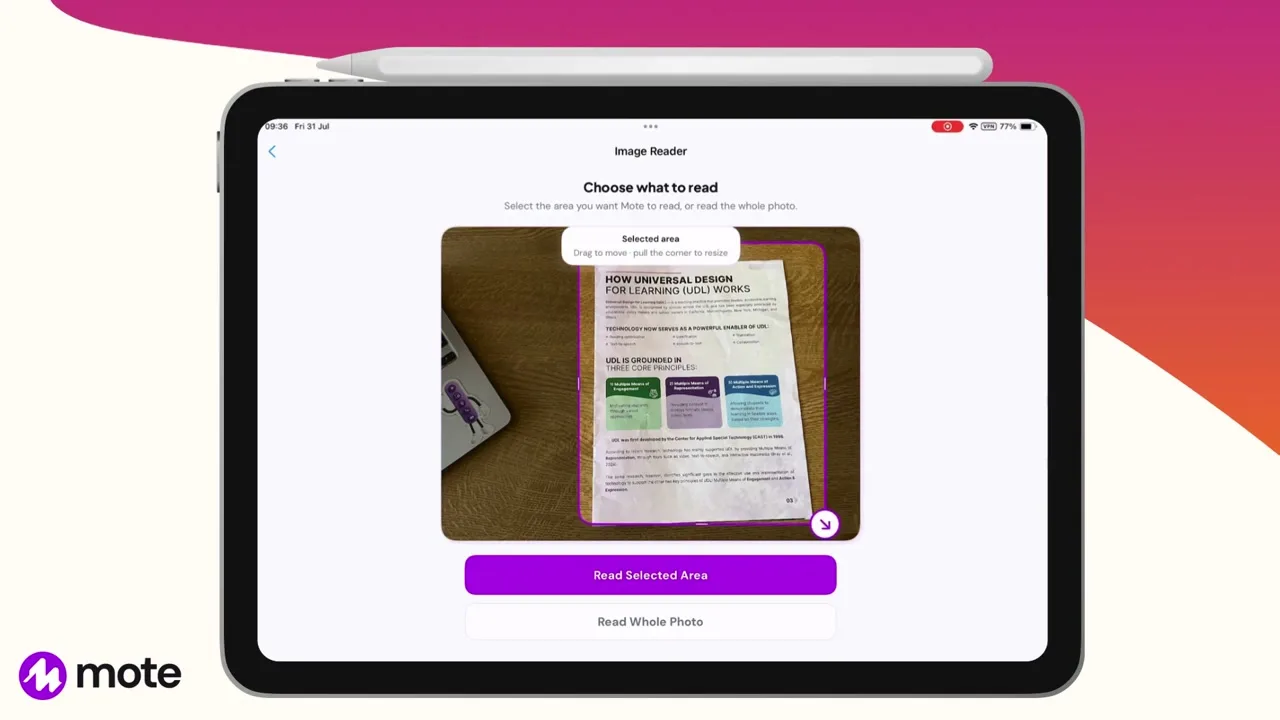




















Snap any worksheet, read it aloud or translate it through OCR.
Share any webpage or document with Mote to read it, hear it, and work on it.
Write with Text Prediction, or type with voice.
Make physical handouts accessible for students on iPads.
Support multi-device classrooms with the same tools.
Give students the tools to learn independently.
Mote for iOS brings Mote's reading and writing tools to iPad and iPhone. Read Aloud plays web pages and documents in natural voices and highlights every word as it is spoken, with adjustable speed and voice. Scan Text pulls text off physical books and worksheets so it can be read aloud or translated. Writer is a built-in editor with on-device word prediction, alongside speech-to-text dictation, translation with audio, and voice recording with transcription. Everything a student saves lands in colour-coded Collections and syncs across devices.
Share a page from Safari and have it read aloud, with each word highlighted.
Share a document in from Files or Safari, and hear it read.
Photograph it and Mote lifts the words off the page.
Start in Writer with prediction as you type, or dictate it instead.
Share something with Mote, or snap it, and start reading.
01
Download the app
02
Share something with Mote
03
Try snapping a handout
04
Listen to it
05
Save it to your collections
Get Mote from the App Store on iPad or iPhone. The app works on its own and is separate from the Chrome extension.
Go to any webpage on Safari, click the share button and choose Mote.
Open the app and click scan text, point the camera at a printed worksheet or a page of a book and take a picture. Mote lifts the words off the photo so they can be read aloud or translated.
Tap Read Aloud. It plays in a natural voice with each word highlighted as it is spoken, and you can change the voice and the speed.
Save what you brought in to a colour-coded Collection so it is there to come back to.


Non. L'application iOS fonctionne indépendamment. Elle est distincte de l'extension Chrome, de sorte que le contenu et les paramètres ne se synchronisent pas entre les deux.
Oui. Scan Texte photographie une page imprimée et en extrait les mots, pour qu'ils puissent être lus à haute voix ou traduits.
iPad et iPhone. Tout ce qui est enregistré dans une Collection se synchronise entre vos appareils via iCloud.
L'application inclut la police OpenDyslexic, des thèmes de lecture chauds, et du texte agrandi, ainsi que la mise en évidence mot par mot lors de la lecture à voix haute.

.png)


.png)
