The assistive technology platform for data-driven districts.

Comprehensive IEP and 504 plan accommodations for every student, with the controls and usage data your district needs.

Trusted by 25,000+ schools and 2 million+ users

Dusty Burton, EdTech Coordinator at Aurora Public Schools.

Aurora Public Schools

“We had a tool that didn’t prioritize our interests and didn’t prioritize us. It was in the best interest of our students that we looked for a product that would do that. Mote gave us everything we needed and more. We couldn’t be happier with our decision.”

Dusty Burton, EdTech Coordinator

Read Aurora's story →

Why districts choose Mote

Multi-level feature controls

✓

Set every tool to On, Off by default, or Off for all, for every student at once.

✓

No setup for teachers: your settings apply as soon as students sign in.

✓

Assessment Mode pauses tools during tests, and keeps them on for students whose IEP requires them.

✓

For locked-down exams, Mote for Assessments runs as a kiosk app on a dedicated Chromebook.
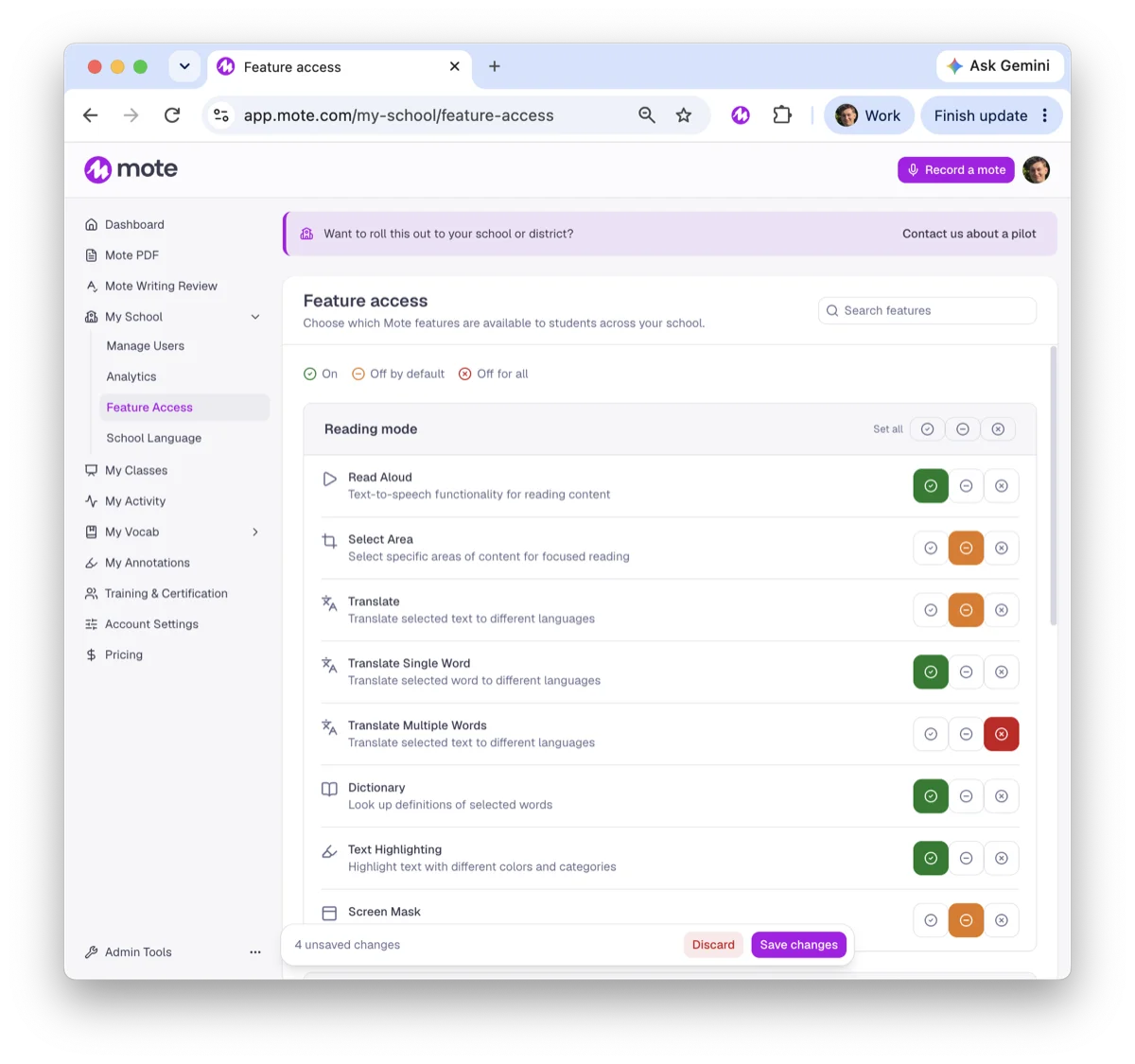
Mote admin Feature Access settings, with each tool set to On, Off by default or Off for all.

Easy district-wide deployment

✓

Domain enablement: everyone with a district email address gets Mote when they sign in.

✓

IT installs the Mote Chrome Extension for every student from the Google Admin console.

✓

Students and staff sign in with Google or ClassLink, and ClassLink rostering is supported.
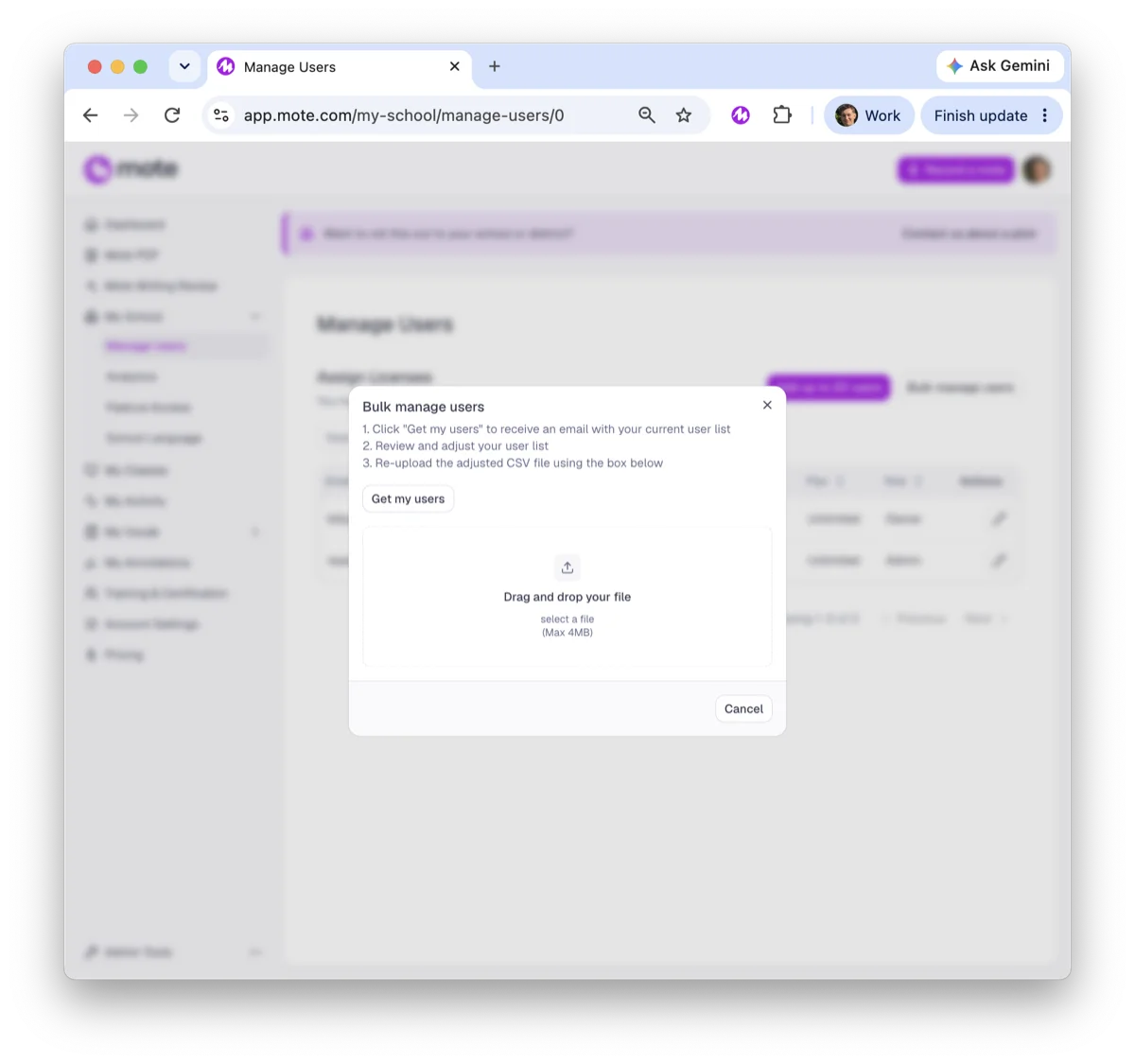
Mote admin Manage users screen, adding people by domain, CSV or email.

Detailed usage analytics

✓

See active students, listening minutes and translations for any date range.

✓

See which tools students use most, from Read Aloud to Text Prediction.

✓

Download a usage report to share with school leaders.
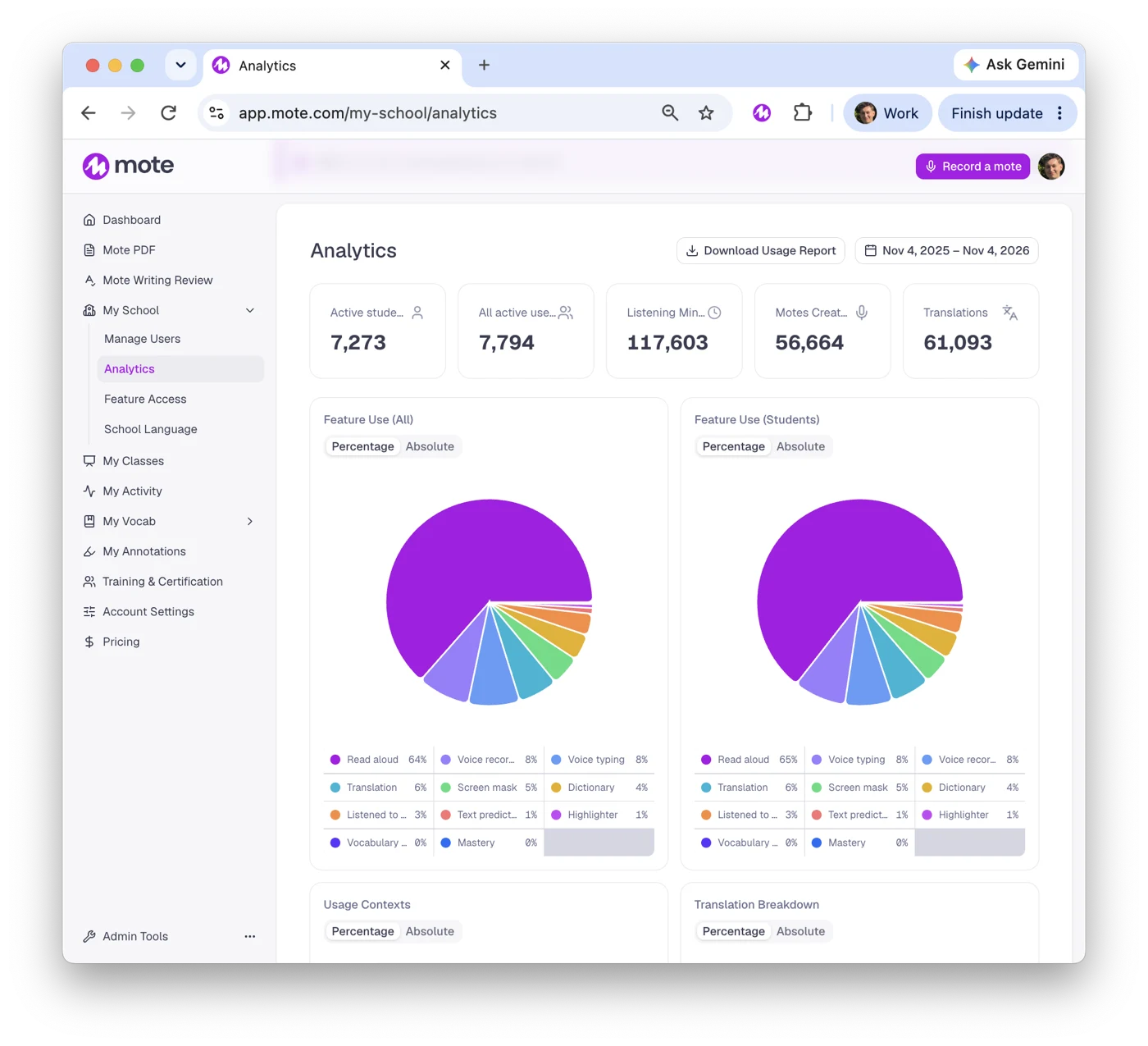
Mote admin analytics showing active students, listening minutes, translations and tool use.

Need to make sure Mote is compliant?

✓

FERPA

✓

COPPA

✓

GDPR

✓

EU-U.S. Data Privacy Framework

✓

State and district DPAs, including the SDPC

Read our privacy and security details →

Get the numbers to prove Mote works before committing

Run a pilot with the students you choose, then decide with real usage data in hand.

1

Choose who takes part

Pick the schools or students, the tools and how long it runs, with our team.

Plan your pilot

→

2

Roll it out

IT installs Mote from the Google Admin console, and students sign in with Google or ClassLink.

→

3

Review the numbers

At the end, you get a detailed impact and usage report to take to your decision makers.

Why other district leaders chose Mote

“Our EL and SPED populations needed better support in Gen Ed classrooms. And Mote has proven to be a great upgrade.”

Daniel Roberto, Wappingers Central School District, NY

Read Wappingers' story →

“Mote is very easy for teachers. It saves teachers time and allows them to accommodate learning and differentiate. But my favorite thing about Mote is the personalization it provides for kids!”

Brittany Horn, Instructional Technologist, Northwest ISD, TX

District FAQs

How is Mote deployed across a district?

IT installs the Mote Chrome Extension for everyone from the Google Admin console (extension ID ajphlblkfpppdpkgokiejbjfohfohhmk). Admins add people by domain, CSV upload or email, and each person gets a license when they sign in.

Which sign-in and rostering does Mote support?

People sign in with Google, ClassLink or email. Mote supports ClassLink rostering, and teachers can import classes from Google Classroom.

Can we limit tools to students with an IEP or 504 plan?

Yes. Every student has the same Mote Sidebar, and admins and teachers decide which tools are on for the whole school, a class, or one student. Students with accommodations aren't singled out.

Does Mote work during tests?

Read Aloud works in Google Forms quizzes, including in Locked Mode, and Assessment Mode controls which tools are on during a test. For locked-down exams, Mote for Assessments runs as a kiosk app on a dedicated Chromebook.

How do we show Mote is being used?

Admins see active students, listening minutes, translations and which tools students use most, for any date range. You can download a usage report to share with school leaders.

Does Mote work on iPads?

Yes, through Mote for iOS, which brings Read Aloud, Translation and Speech to Text to iPad. Admins can install the app for students. Some tools differ from the Chrome Extension.

Is student data safe?

Mote is FERPA and COPPA compliant, a Student Privacy Pledge signatory, and stores data in the US. We sign state and district data privacy agreements, including through the Student Data Privacy Consortium (SDPC). Mote is also GDPR compliant and certified under the EU-U.S. Data Privacy Framework.

Which languages does Mote support?

Read Aloud and Translation cover 60+ languages. The interface comes in English, French, Spanish, Arabic and Mandarin Chinese.

How much does Mote cost for a district?

District plans start at $2,500 a year. Multi-year terms are available and we accept purchase orders. Contact us for a quote.

Can we try Mote before we buy?

Yes. A school or district pilot is set up with our team, with the number of students, tools and length agreed for your district.

Questions about Mote?

Talk to our team about a pilot, pricing or rolling Mote out across your district. Already using Mote? Our support team can help.

© Mote Technologies, Inc. 2026. Creado con 💜 por nuestro equipo global.